
The right CMS for performance depends heavily on which categories you’re comparing. Among traditional hosted platforms, Wix and Duda post the highest out-of-the-box Core Web Vitals pass rates, while WordPress trails unless someone actively optimizes it. Among headless and Git-based CMS options like Storyblok, Strapi, and Nuxt Content, the CMS itself barely affects speed. Performance comes almost entirely from the frontend framework and hosting setup you build around it. Pick based on your build, not just the brand name. Below, you’ll find a head-to-head look at traditional CMS performance, what actually drives speed in headless and Git-based setups, and why uptime ends up mattering more than either choice.
Does CMS Performance Actually Affect SEO and Conversions?
Page speed has a direct line to both rankings and revenue. Google has used Core Web Vitals as a ranking signal since 2021. Slower pages convert worse, bounce more, and lose organic visibility over time. A CMS shapes your starting point, but for a growing share of builds, it’s no longer the main factor.
WordPress vs Wix vs Squarespace vs Duda: Core Web Vitals Compared
For hosted and self-hosted platforms where the vendor controls most of the rendering and delivery stack, a direct comparison still holds up.
| CMS | Hosting model | Core Web Vitals standing* | Best known for | Watch out for |
| WordPress | Self-hosted (usually) | Consistently trails hosted builders unless optimized | Flexibility, plugin ecosystem, content control | Plugin bloat, theme quality, hosting choice |
| Wix | Fully hosted | Among the strongest out of the box | Ease of use, strong out-of-box performance | Limited control over backend optimization |
| Duda | Fully hosted | Typically leads or near-leads the field | Agency and white-label builds | Less brand recognition, smaller ecosystem |
| Shopify | Fully hosted | Strong on product pages, variable on custom themes | E-commerce at scale | Heavy apps and custom themes can offset gains |
| Squarespace | Fully hosted | Solid mid-tier, behind Wix and Duda | Design-forward templates | Less granular performance control |
| Drupal | Self-hosted | Varies widely by build | Enterprise and content-heavy sites | Needs dedicated dev resourcing to optimize |
WordPress still powers somewhere between a third and over 40% of the web, depending on how it’s measured. Its market share has started to decline for the first time in the platform’s history as hosted builders pick up ground. That’s not a performance story by itself. WordPress can be extremely fast when it’s built and hosted well. It does explain why “market leader” and “fastest out of the box” have stopped meaning the same thing.
A few factors decide whether any of these platforms perform closer to their ceiling or well below it:
- Hosting quality. Shared, budget hosting bottlenecks even a lightweight build, and it’s the single biggest variable for self-hosted platforms specifically.
- Theme weight. Heavy, feature-stuffed themes load more than a site needs, on WordPress, Shopify, or any platform with a template marketplace.
- Plugin count. Every plugin adds weight, and self-hosted platforms lose the most ground here since there’s no vendor gatekeeping what gets installed.
- Image handling and CDN use. Unoptimized images and missing CDN coverage remain two of the most common, most fixable problems across every platform on this list.
Headless CMS Performance: Storyblok, Strapi, Decap, and Nuxt Content
A headless CMS is a content management system that stores and delivers content through an API instead of controlling how that content gets displayed. The “head,” meaning the frontend that renders pages for visitors, is built and hosted separately, giving developers full control over the framework, design, and performance of the final site. For developers evaluating headless platforms like Storyblok and Strapi, or file-based options like Decap CMS and Nuxt Content, speed isn’t really a CMS property. These tools hand off content through an API or a file store, and the actual site gets built and hosted separately. A page built on Storyblok with a fast frontend and good hosting will outperform a page built on any traditional CMS with a slow one, and the reverse holds just as easily.
What matters more for this category:
- Content lock-in. Migrating content out of a headless CMS’s proprietary schema can be genuinely painful, and it’s one of the most consistently repeated warnings from developers who’ve done it. Choosing a CMS that keeps content in an open, portable format (plain markdown or JSON files, for instance) avoids that problem from the start.
- Setup complexity versus flexibility. File-based tools like Decap CMS and Nuxt Content are lean and fast to get running, but they hit real limits at scale. Headless platforms like Strapi and Storyblok trade some of that simplicity for more structure and room to grow.
- Self-hosted maintenance. Open-source options like Strapi, Directus, or Django CMS remove vendor lock-in, but the team running them takes on hosting, updates, and uptime monitoring that a managed platform would otherwise handle.
That last point matters. A self-hosted CMS doesn’t come with a vendor quietly watching whether the site is actually up. If a database container goes down at 2am or a deploy breaks the build, nobody notices until a customer does, unless something is set up to catch it. That’s true no matter how fast the site loads when everything’s working.
Why Uptime Monitoring Matters More Than CMS Choice
A comparison table stops mattering the moment a site goes down. The fastest, best-optimized build on the best-suited CMS is only as good as its uptime. A five-star Core Web Vitals score doesn’t help much if the server buckles during a traffic spike, a plugin update breaks checkout, or a self-hosted deploy fails silently overnight. Most teams find out something broke from a customer complaint, not from a system built to catch it first.
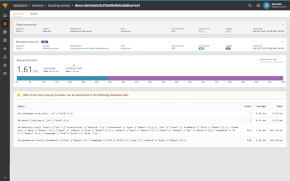
That’s the gap continuous monitoring closes. Pingdom tracks uptime and page speed around the clock and flags regressions the moment they happen, whether that’s a slow page, a broken transaction, or a full outage. It doesn’t matter what’s rendering the site underneath. WordPress, a headless build on Storyblok, or a self-hosted Strapi instance: if it’s live, something needs to be watching it.
Want a quick read on where your own site stands? Run a free speed test. It takes about 30 seconds and shows exactly what’s slowing the page down, no matter what’s powering it.
Frequently Asked Questions About CMS Performance
What’s the fastest CMS in 2026? Among traditional hosted platforms, Wix and Duda post the highest average Core Web Vitals pass rates, with WordPress able to match or beat them only with deliberate optimization. Among headless and Git-based CMS, speed depends almost entirely on the frontend and hosting setup rather than the CMS itself.
Does the CMS you choose affect SEO? Yes, indirectly. Site speed and Core Web Vitals are confirmed Google ranking factors, and CMS choice affects how easy it is to hit strong scores. Content quality and technical SEO fundamentals still matter more than the platform itself.
How do I check my own site’s performance? Use a free tool like Pingdom’s speed test for an instant read on load time and what’s slowing it down. For ongoing visibility, continuous monitoring catches regressions between manual checks.
Is a headless CMS faster than a traditional one? Not automatically. A headless CMS removes the CMS itself as a performance bottleneck, but the site’s actual speed depends entirely on the frontend framework and hosting choices built around it. A poorly built headless site can be slower than a well-optimized traditional one.
Is self-hosting a CMS riskier for uptime? It shifts the responsibility rather than removing it. A managed platform handles infrastructure monitoring behind the scenes. Self-hosting a CMS like Strapi or Directus means that responsibility falls on the team running it, which makes uptime monitoring more of an explicit requirement than an assumed one.