
Sleep Through the Night Because You’re Prepared, Not Clueless.
It’s your site’s huge, annual sale weekend, and your online store’s checkout process went down for 10 minutes. At your conversion rate, that’s $10,000 in lost sales. Thankfully, it came back up after only 10 minutes, but the real issue is that you only found out from customer complaints on social media. You spent months on email marketing and other campaigns driving traffic to this sale, and now those efforts are turning into customer frustration instead of revenue.
How long does it take before you know a critical part of your e-commerce platform is down? You can’t prevent every failure, but you can improve your response time through preparation, a solid response plan, and proper tooling. However, many e-commerce businesses don’t have the monitoring in place to catch issues beforecustomers start complaining on social media.
In this post, we’ll cover how to identify your critical transaction paths, what preventative monitoring looks like, and how to build systems you can trust so you can rest easy through your peak sales revenue days. The right optimization can mean the difference between a profitable season and a costly disaster.
The Stakes: Every Minute Is Money
During peak periods, such as Black Friday, Boxing Day, and Cyber Monday, your online business typically sees 3× – 5× regular website traffic. Any downtime during peak periods leads to significant lost revenue. For example, let’s say your annual revenue is $100m, which means your standard hourly revenue is around $12,000. During peak periods, revenue might hit 5× your standard, giving you an hourly revenue of $60,000. The cost of downtime during peak periods is$1,000 every minute.
When downtime can be resolved quickly with a service restart or another quick fix, that’s great. Unfortunately, the failure points aren’t always where you expect them to be. Between a modern distributed microservice architecture and numerous third-party APIs, identifying the root cause can be challenging. Possibilities include:
- Payment processor timeouts
- Inventory service overload
- Database connection pool exhaustion
- Content delivery network (CDN) cache misses hammering origin servers
- Third-party shipping calculators outages
- Session services saturation
This means an instance of downtime might result in a frantic 3 a.m. panic. Something’s wrong, but you don’t know what. Customers are complaining on social media, and your engineering team is wading through logs. And through all of this, you’re bleeding revenue, minute by minute.
Poor customer experience during these critical moments damages your brand and drives up cart abandonment rates, even after systems come back online. You lose potential customers who never return, damaging customer trust and retention. Every minute of downtime not only impacts immediate profitability but also erodes your customer base for the long term.
You can avoid all this through proper preparation and monitoring.
The Critical Path: What You Must Monitor
Before diving into tooling, define your application’s critical path. For an e-commerce website, this begins with defining your transaction flow. Map the complete customer journey from product to purchase, and understand the dependencies. A user-friendly website design makes the path obvious to customers, but you need to ensure every step works. Make sure you document:
- Every step from landing to order confirmation (in proper order)
- Where each step could fail
- Dependencies and external services
Typically, this will include steps such as:
- Product page loading (images, price, and inventory status)
- Adding items to the cart (session management and inventory check)
- Cart page loading (price calculation and shipping estimation)
- Account login and signup
- Checkout initiation (address validation and payment method)
- Payment processing (external processor and fraud check)
- Order confirmation (database write and confirmation email trigger)
Some often forgotten dependencies can kill conversions when they break. Make sure you include search engine functionality (customers can’t find products), promo code validation (codes don’t apply and shopping carts get abandoned), gift card balance checks, and wishlist functionality. Product descriptions must also load correctly. When a search returns empty results or missing details, the online shopping experience quickly falls apart.
Each of these touchpoints affects user experience and overall customer satisfaction. Usability depends on all of these pieces working together seamlessly.
With your transaction flow mapped, it’s time to build in preventative monitoring.
Preventative Monitoring: Build It Before You Need It
Adding monitoring is the first step in your plan to be ready for the unforeseen. Properly optimizing your monitoring setup ensures you catch problems before they impact customers. Automation makes this possible, as manually checking your site every few minutes isn’t realistic.
Begin with uptime monitoring for every critical endpoint.Basic availability checks are the foundation of any monitoring scheme. Add uptime monitoring to all APIs, both yours and third parties’. When possible, set up monitoring from multiple geographic locations to cover your most valuable regions. Regarding frequency, set uptime checks to a minimum of once per minute during peak times, drawing down to once every 5 – 10 minutes during nonpeak periods.
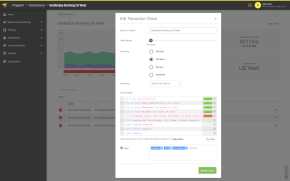
The next step is transaction monitoring (synthetic tests). Synthetic tests let you simulate real user behavior to catch integration failures. For example, you can create end-to-end purchase flows that run every five minutes and use test credit cards. This allows you to monitor typical customer behavior through the full chain, not only at individual endpoints, giving you confidence that everything is working as it should. The goal is to catch integration failures before your customers do. You also cover false positive scenarios that might occur with uptime monitoring alone, such as:
- The landing page is up (but the checkout process is broken)
- The API returns 200 (but with an error payload)
- Service responds (but slowly enough to cause timeouts)
With the basics in place, your next step is to add performance thresholds, letting you know when performance is degrading, but before it fails. Instead of a simple boolean check for whether your site is up or down, include more granular metrics, such as page speed benchmarks, API response time expectations, and database query performance. Track both load times and overall website performance to understand your baseline.
Once you have a benchmark for site performance, you can set alerts to go off before conditions are critical (for example, warn at an API response time of two seconds, but alert at five seconds). It’s generally good to set different thresholds for peak traffic periods versus regular traffic periods. These performance metrics directly impact user experience and search engine optimization rankings. Slow sites lose customers and search visibility.
Alert Routing and Response Plans
With your preventative monitoring set up, it’s time to clarify the chain of responsibility in your response plans. When an alert occurs, what happens next? Without clear processes, you’ll see customer support tickets pile up while your team scrambles to respond.
Response plans will vary by organization, but they typically ought to cover three key areas:
- Who gets paged for what
- Escalation paths
- Runbooks for common failures
Who gets paged for what
Take time to clarify the alert severity and the responsible party. Having clear severity levels prevents alert fatigue and ensures the right people can respond. Streamlining your alert routing keeps your team focused on real issues. A well-designed dashboard helps on-call engineers see alert status at a glance. For example, you might have a four-tiered system:
- Level 1: Minor performance degradation (notify, don’t wake)
- Level 2: Critical service slow (page the on-call engineer)
- Level 3: Service down (page the on-call engineer and the manager)
- Level 4: Critical revenue-impacting outage (page the entire team)
Escalation paths
Once the right person is set to be notified and on the job, define the timeline and next steps. This prevents confusion during the incident itself. For example, you might expect your on-call staff to follow this timeline for a revenue-impacting outage:
- Within five minutes: Acknowledgment is made by the first responder
- Within 15 minutes: Initial diagnosis is made
- At 20 minutes: Issue is escalated to a senior engineer if not resolved
- At 45 minutes: Issue is escalated to the engineering manager if not resolved
- At 2+ hours: Issue is escalated to the chief technology officer for major revenue-affecting incidents
Regardless of the specifics, the goal is to provide clear next steps for the on-call engineer to follow.
Runbooks for common failures
Runbooks are prewritten procedures for your most common scenarios, such as:
- What to do when your payment gateway is down and how to failover to a secondary processor (maintaining multiple payment options prevents revenue loss)
- How to promote one of your database read replicas when your database is overloaded
- How to scale your origin server capacity when your CDN is experiencing cache misses
- What security measures to take if you detect unusual traffic patterns or potential attacks
Each runbook should include symptoms, diagnosis steps, fix steps, and a rollback plan.
With your monitoring set up and a plan in place, you’re almost good to go. You have one more step: test and verify.
Testing Your Monitoring and Response Plans
With everything in place, make sure to test everything before you need it.
Begin with load testing. Simulate the peak biggest-sale-of-the-year traffic. Verify that your alerts fire at the correct thresholds, and double-check that your escalation paths and runbooks make sense and solve the issues. Do this weeks (not days) before peak season arrives. The specific time frame matters. You need at least two weeks to make adjustments based on test results.
Next, add incident drillsto practice responding to failures in a controlled environment. Kill services intentionally, and measure overall response time, time to detect, time to diagnose, and time to resolution. Based on the results, you can identify any remaining gaps in your monitoring or response preparation, and your team can adjust accordingly.
Finally, after each incident (test or real), review and update your response planning. This leads to continuous improvement based on real experience. Connect your monitoring to analytics tools such as Google Analytics to track how performance issues affect key metrics. Here are some starting points for review:
- After an incident, ask “What didn’t we catch?”
- After a season, ask “What can we improve?”
- Update performance thresholds regularly based on new benchmarks
- Track key performance indicators—such as conversion rates, cart abandonment rates, and average order value—to measure the real-time impact of performance on your e-commerce business
- When adding new features and services to your app, make sure to add monitoring on day one
- Customize your monitoring to match your business needs; every online store has different critical paths and priorities
Conclusion
When your monitoring is dialed in, you know about your e-commerce store’s problems before customers do. Alerts fire before complaints start, and synthetic tests catch failures while customers are still browsing. You’re already diagnosing issues before customers encounter them.
Reliable monitoring helps you build trust with your customer base. They experience reliability, not chaos.
On-call shifts stop feeling like punishment because you have clear responsibilities, tested procedures, and a manageable alert volume. When incidents occur, they’re caught quickly. Your team’s response is smooth, and the impact on revenue is minimal.
The math is simple: preventing a single $50K outage pays for years of $5K annual monitoring costs. But this only works if you build and test your monitoring system during the slow season so you can trust it during peak seasons. Whether you’re running on Shopify, WooCommerce, or a custom e-commerce site, the principles remain the same: optimization through preparation and streamlined response processes protects your bottom line.
Long-term success in e-commerce depends on reliability, and reliability comes from effective monitoring. Set up your critical path monitoring with SolarWinds® Pingdom® now, then rest easy during peak season knowing you have the right tools, team, and planning in place to handle any incident.